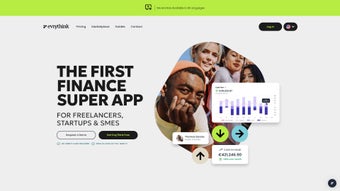

Download EvryThink – AI‑Powered Financial Management for Entrepreneurs
Introduction
In today’s fast‑moving startup ecosystem, founders and small‑business owners are forced to wear many hats: product designer, marketer, recruiter, and, inevitably, chief accountant. The financial side of a venture—tracking expenses, issuing invoices, forecasting cash flow, and reporting to investors—often becomes a time‑consuming nightmare that diverts attention from growth‑focused activities. Traditional accounting software can be powerful but usually comes with a steep learning curve, fragmented interfaces, and pricey licensing models that are out of reach for early‑stage teams or mission‑driven nonprofits.
That gap has given rise to a new class of intelligent finance platforms that blend automation, artificial intelligence, and an intuitive user experience into a single dashboard. EvryThink positions itself squarely in this niche, promising an AI‑driven, all‑in‑one solution that simplifies bookkeeping while delivering strategic insights. In this comprehensive review we will examine the platform’s core capabilities, walk through the installation process, explore compatibility across devices, weigh the tangible benefits against the drawbacks, and answer the most common questions prospective users have.
By the end you’ll know whether EvryThink is the secure, affordable, and scalable finance sidekick your venture needs to focus on what truly matters—building a sustainable business.
Core Features & Simple Installation Process
All‑in‑One Financial Toolkit Powered by AI
- AI‑assisted expense tracking that auto‑categorizes purchases, flags outliers, and learns your spending patterns over time.
- Dynamic revenue planning with scenario modelling for multiple growth trajectories, enabling founders to test “what‑if” forecasts in seconds.
- Integrated invoicing engine supporting multi‑currency, recurring invoices, automatic payment reminders, and one‑click receipt generation.
- Real‑time budgeting dashboard with visual variance analysis, allowing you to compare actual spend against planned budgets at a glance.
- Team cost management that aggregates salaries, contractor fees, benefits, and stock‑option expenses into a single view.
- Fundraising tracker that links directly to cap tables, investor communications, and milestone reporting, keeping stakeholders informed.
- Nonprofit and B‑Corp support modules offered at zero cost, including grant‑tracking and donor‑management features.
- Secure cloud storage with end‑to‑end encryption, automated nightly backups, and version‑controlled audit logs.
- Customizable reporting templates for tax filing, board presentations, grant applications, and regulatory compliance.
- Seamless integration with popular tools such as QuickBooks, Xero, Stripe, PayPal, HubSpot, and Slack for real‑time data sync.
Step‑by‑Step Installation & First‑Run Guidance
Installing EvryThink is intentionally frictionless. After you download the installer that matches your operating system, double‑click the executable on Windows or drag the .app file into your Applications folder on macOS. The installer conducts a quick system‑requirements check, creates an isolated sandbox for enhanced security, and prompts you to set a master password—this password is salted, hashed, and never stored in plain text, ensuring that only you can decrypt your financial data.
Once the core files are in place, the onboarding wizard launches automatically. It guides you through four essential steps: (1) securely link your bank accounts and credit cards via encrypted APIs, (2) import historical invoices or CSV‑based transaction logs, (3) configure your fiscal year, tax region, and default currency, and (4) invite team members with granular, role‑based permissions. As soon as the data sync completes, the AI engine begins analyzing patterns, offering immediate suggestions such as “categorize this recurring expense as marketing” or “forecast a cash‑flow shortfall in month 7”.
During the first week, an in‑app “Financial Coach” sends daily tip notifications, helping new users extract maximum value without the need for a professional accountant. The whole process typically takes under 15 minutes, even for users with modest technical expertise.
Compatibility, System Requirements, and Security Standards
EvryThink is built as a cross‑platform solution. Native desktop clients are available for Windows 10/11 (64‑bit) and macOS 11 (Big Sur) and later, while companion mobile apps run on iOS 13+ and Android 8+. For users on Linux or other operating systems, a responsive web portal delivers the full feature set through any modern browser—Chrome, Firefox, Edge, or Safari—leveraging progressive web‑app technology for offline caching and push notifications.
Minimum hardware requirements are modest: 4 GB RAM, 2 GHz dual‑core CPU, and 250 MB of free disk space for the desktop client; mobile apps require at least 1 GB RAM and 150 MB storage. All communication between client and EvryThink’s cloud backend uses TLS 1.3 encryption, while data at rest is protected by AES‑256 encryption. The platform complies with GDPR, CCPA, and ISO‑27001 standards, and undergoes quarterly third‑party penetration testing.
For enterprises that demand an extra layer of protection, optional hardware security module (HSM) storage and dedicated virtual private cloud (VPC) isolation are available as add‑ons. These rigorous security measures ensure that sensitive financial information—bank credentials, payroll data, investor terms—is shielded from unauthorized access, meeting the compliance expectations of both startups and larger organizations.
Pros and Cons – What Users Really Like (and What Could Be Better)
Why Users Love EvryThink
- User‑Friendly Interface: Drag‑and‑drop widgets let you build custom dashboards without writing a line of code, making complex financial data instantly understandable.
- AI‑Driven Insights: Predictive cash‑flow models, expense anomaly detection, and revenue scenario planning reduce surprise shortfalls and support data‑driven decision‑making.
- Transparent Pricing: A truly free tier for nonprofits, B‑Corps, and individual freelancers removes financial barriers; paid plans start at $19 / month with no hidden fees.
- Robust Ecosystem Integrations: Native connectors for QuickBooks, Xero, Stripe, PayPal, HubSpot, and Slack streamline data flow across the stack.
- Enterprise‑Grade Security: End‑to‑end encryption, multi‑factor authentication, ISO‑27001 compliance, and optional HSM storage keep data safe.
- Scalable Architecture: From solo founders to mid‑size teams of 50 + users, the platform scales horizontally without performance degradation.
- Comprehensive Support Resources: 24/7 email assistance, live chat during business hours, a searchable knowledge base, video tutorials, and an active community forum.
Areas for Improvement
- Learning Curve for Advanced AI Features: While basic bookkeeping is intuitive, mastering scenario‑based forecasting and custom AI rule creation may require additional training or consulting.
- Limited Custom Reporting API: Power users looking to build fully custom dashboards must rely on CSV exports, as a RESTful reporting API is still in beta.
- Mobile UI Consistency: Some iOS users report that the app feels less polished than the desktop version, with occasional layout glitches on smaller screens.
- No Built‑In Payroll Module: Companies must integrate third‑party payroll services (e.g., Gusto, ADP) for complete payroll automation, which adds an extra integration step.
- Support Hours for Live Chat: Live chat is limited to North‑American business hours; after‑hours queries rely on ticketing, which can delay urgent issue resolution.
- Export Limitations on Free Tier: Free accounts can export up to 5,000 rows per month, which may be restrictive for rapidly growing startups.
Frequently Asked Questions
Can I use EvryThink for free?
Yes. EvryThink offers a free tier for nonprofits, educational institutions, certified B Corporations, and individual freelancers. The free plan includes core bookkeeping, AI expense categorization, and limited reporting. Paid plans unlock advanced forecasting, multi‑user collaboration, and premium support.
Is my financial data secure?
Absolutely. All data is encrypted both in transit (TLS 1.3) and at rest (AES‑256). EvryThink complies with GDPR, CCPA, and ISO‑27001, and offers optional hardware security module (HSM) storage for enterprises that require an extra layer of protection.
Which accounting software does EvryThink integrate with?
EvryThink integrates natively with QuickBooks Online, Xero, FreshBooks, Sage Intacct, and offers API connections to custom ERP systems, allowing you to sync invoices, expenses, and payroll data effortlessly.
Can I track fundraising rounds and investor equity?
Yes. The fundraising module lets you log each financing event, attach term sheets, and automatically update your cap table. Real‑time dashboards show dilution, runway, and valuation trends, making board reporting a breeze.
What support options are available?
Subscribers receive 24/7 email support and live chat during North‑American business hours. The knowledge base includes step‑by‑step tutorials, video guides, and a community forum where power users share custom workflows.
Conclusion & Call to Action
EvryThink emerges as a comprehensive, AI‑enhanced financial hub that bridges the gap between simplistic spreadsheet tracking and heavyweight enterprise ERP systems. Its intuitive interface lowers the barrier to entry for solo founders, while the AI‑driven insights and scenario planning empower growing teams to make proactive, data‑backed decisions. The free tier for socially driven organizations underscores a mission‑first philosophy, and the transparent subscription model ensures that scaling businesses only pay for the features they truly need.
Security is baked in at every layer, meeting the most demanding compliance standards, and the wide range of native integrations means you can keep using the tools you already love. While advanced reporting APIs and a polished mobile experience are still evolving, the overall value proposition is strong, especially for entrepreneurs seeking a single, secure dashboard to replace fragmented accounting, invoicing, and fundraising tools. If you’re ready to streamline your finances, reduce manual entry, and let AI handle the heavy lifting, there’s no better time than now.
Download EvryThink today, follow the quick installation guide, and let the platform’s intelligent engine free you to focus on scaling your vision.



.png)



